Hook
Most text-to-3D tools hand you a frozen mesh and wish you luck. VARCO 3D hands you a rigged, animated, game-ready character — in your browser, in minutes, for roughly 35 cents. And the studio behind it isn’t a startup chasing hype: it’s NC AI, the AI arm of NCSOFT, the Korean game giant behind Lineage and Throne and Liberty.
The Story
NC AI quietly launched VARCO 3D on December 1, 2025, and it’s the rare AI 3D tool built by a company that actually ships games for a living. That heritage shows. Where Meshy, Tripo, Rodin and Hunyuan 3D mostly compete on mesh quality, NC AI optimized for the thing studios secretly hate most: the pipeline. The handoffs. The remeshing. The rigging. The week-long slog between “cool concept” and “asset that moves in-engine.”
So VARCO 3D collapses the whole chain into one browser tab. You type a prompt (or drop an image), and it first shows you a 2D sketch to lock the concept. Approve it, and the platform generates the mesh, remeshes it to clean topology, paints textures, rigs the model, and lets you apply animations from a library the team advertises at 500+ motions — then play it back, right there. Concept ideation to a moving character, without ever leaving the page or touching a DCC app.
The numbers NC AI puts on it are the headline: a process that traditionally took over four weeks now runs in as little as three minutes, at a cost of around 500 KRW (~$0.35) per asset. Bold claims are cheap in this space — but NC AI backed it with a real test. At a game-development contest, the winning team built 82% of its total 3D assets in VARCO 3D, and 38% of those shipped into the game with zero post-processing. That second figure is the one that matters: it means a meaningful slice of AI output cleared the production bar untouched.
Why You Should Care
The AI 3D race has been stuck at the “beautiful static mesh” finish line for two years. That’s lovely for a turntable render, but a static mesh is maybe 20% of what a game or animation actually needs. The expensive part — retopo, UVs, rigging, skinning, animation — is exactly what VARCO 3D is trying to automate end to end.
- Indies and small studios get a populated scene without a dedicated character pipeline or an outsourcing budget.
- Pre-viz and prototyping stops being a bottleneck — block out a level with moving placeholders in an afternoon.
- The remesh + rig step is the real differentiator. Clean-ish topology and an auto-rig out of the box is what separates a demo from a tool you’d actually use.
The honest caveats: auto-rigs still struggle with non-humanoid or exotic anatomy, AI topology rarely beats a careful human retopo for deforming hero assets, and “38% with no post-processing” politely implies 62% still needed a pass. This won’t replace your character artist. But for crowds, props, background NPCs and rapid iteration, it changes the math.
Try It / Follow Them
- Tool: 3d.varco.ai — sign in, type a prompt, and watch the sketch → model → rig → animate flow.
- Browse first: the Explore gallery is the fastest way to gauge real output quality across characters, props and environments.
- Company: NC AI — the NCSOFT subsidiary, also behind the VARCO LLM and image models.
- Watch: the launch walkthrough for the full pipeline in motion.
IK3D Lab Take
VARCO 3D is the most interesting tell in AI 3D right now — not because the meshes beat Rodin or Hitem3D’s ultra-high-res output, but because a real game studio looked at the whole problem and decided the win was the pipeline, not the polygon. Everyone else is racing to generate a prettier statue. NC AI is racing to generate something that walks. For a Lab whose audience lives in Blender, Unreal and Unity, that’s the more useful direction by a mile. Try it on a throwaway prop, then push it on a humanoid and see where the rig breaks — that boundary is exactly where the next year of this field gets decided.



Good perspective. I found Explore gallery relevant when reading about paper-banana.
Great post! I really enjoyed reading it. By the way, if you like fun browser games, you should check out head-football – amazing head-to-head soccer action online.
Good perspective. I found Explore gallery relevant when reading about matrix destiny.
Good perspective. I found Explore gallery relevant when reading about astrocarto.
Merci beaucoup pour cet article tres enrichissant et bien detaille. Pour tous ceux qui s interessent a la retouche visuelle et aux outils d IA pour la mode, AI Clothes Changer est egalement une excellente decouverte.
If you’re into planning outdoor spaces too, LandscapeAI is worth a peek—you upload a photo of your yard and it shows different styles. Try it here: ai landscape design
Appreciate the detail here. Explore gallery connects well with the AnnoraSky angle you mentioned.
Sharing a creative image ideation tool I use: Grok Imagine
Text-to-3D still needs a reference that holds. I start from a 2D still.
A Nano Banana prompt on Soutine: same character, new outfit, then I take that into 3D.
On varco the studio behind, the stills survive and the video does not. Screen recordings and handheld clips fail the same way here. I keep the camera file and run a diffusion upscaler to 1080p before sharing.
3D generators start from a blank scene. My case is a finished title card whose words are wrong. I replace the visible text.
Absolutely exciting to see VARCO 3D offering such an intuitive text-to-animated-3D solution at a reasonable price! As a developer of Dressora, I can appreciate the value of such a seamless experience for users looking to create dynamic content. It’s reassuring that NC AI has a solid foundation with NCSOFT, and I’m eager to explore how this new tool might integrate with Dressora’s offerings for a more comprehensive virtual experience.
hingesignals has been a practical option when the usual workflow gets messy. hingesignals
Clear write-up — it stays practical instead of drowning in theory. auraloom
Clear write-up — it stays practical instead of drowning in theory. Chiron degree
The new VARCO 3D tool from NC AI offers a game-ready character in minutes for just 35 cents, which is a huge leap forward in text-to-3D technology. It’s impressive that they’ve managed to integrate such advanced features directly into the browser. Speaking of turning product pages into creatives, ProductToPin can help you create engaging Pinterest content from any product page in just a few clicks.
Thanks for the insights. Make It Longer was a useful read alongside your points on Make It Longer.
Creators can explore new sounds, moods, and songwriting approaches with SoMusicAI creation platform.
Turn short prompts into custom graphics through AI graphics maker.
Thanks for the insights. Saturn Return Calculator was a useful read alongside your points on Saturn Return Calculator.
A rigged, animated, game-ready character for around 35 cents is the number that stands out, given that Meshy, Tripo and Rodin mostly compete on mesh quality alone. Rigging matters well beyond games too — a static mesh can’t show how fabric falls or moves on a body, which is the core problem with digital clothing. At this price, real 3D garment fitting starts to look feasible for photo-based tools like Wedding Dress Try-On.
Converter Run is a file conversion suite for image, audio, video, and PDF. Planning happens with an AI chat while ffmpeg, canvas, and PDF work stay in the browser — files never leave your device.
SnapGen is a customer portal for AI media generation: authentication, payments, API-key management, model discovery, and a playground backed by the SnapGen gateway.
The 38% shipping with zero post-processing is the detail that actually matters here, because that’s the number that tells you whether this fits into a real production pipeline or just makes pretty turntables. Four weeks down to three minutes at 35 cents sounds like the kind of claim I’d want to test myself before trusting it on a deadline, honestly. I’ve been using ytbench to sanity-check channels before pitches, so I’d probably run a few VARCO assets through a quick prototype first.
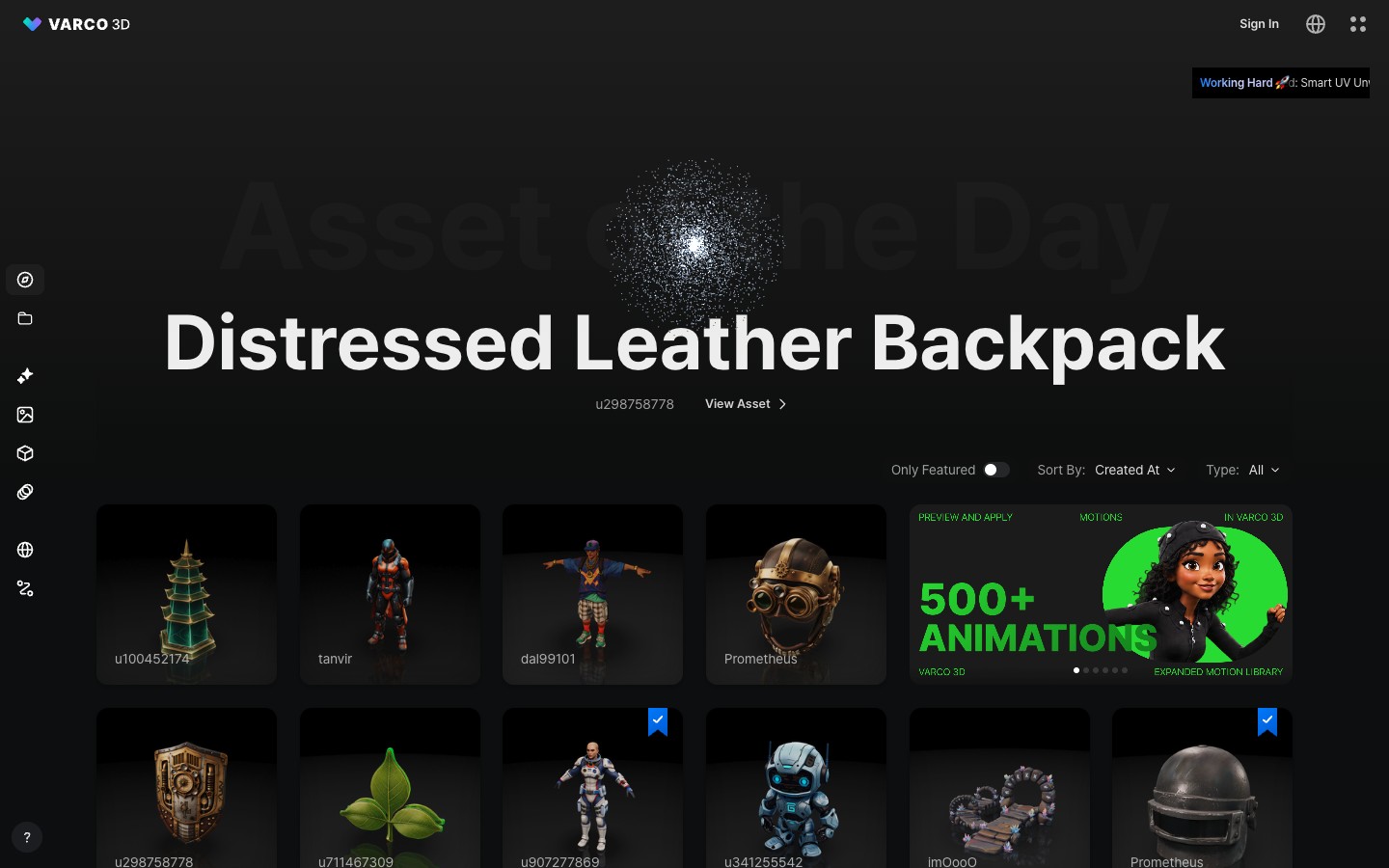
The VARCO 3D Explore gallery, a typed prompt becoming a 3D thumbnail for about 35 cents, is animation pricing, not a timed camera shot. Announced kling 4.0 is the shot-length conversation instead: up to about 30 seconds, more keyframes, multimodal references, with Flash only in official early access at about 20 seconds and 720p. Soutine’s generator has not moved. It still runs Kling 3.0, about 3-15 seconds, start/end frames, optional audio, 720p to 4K, and gives no access date.
https://soutine.ai/models/kling-4
Great read, thank you for writing it up. In case it helps anyone making short social clips: I recently used the AI video generator on cup-cut.pro to turn a single product photo into a short vertical video, and it saved me a lot of time.
Great post, thanks for taking the time to write it. For anyone here who records videos at home, I recently found Video BG Remover (videobgremover.org), which removes the background from a clip without a green screen. Handy if you don’t have a studio setup.
Impressionnant pour du text-to-3D animé dans le navigateur à ce prix. Pour les captures d’écran, un magic eraser comme RemoveGenie permet de peindre un objet gênant et de remplir la zone. La zone recouverte est générée, pas récupérée, et ça marche mieux sous environ un tiers du cadre.
35 cents per animated asset is honestly wild compared to what studios usually charge for a single static prop, let alone something rigged. The fact that it all runs in the browser without a heavy install makes it way more accessible for indie devs. Curious how the rigging quality holds up on more complex humanoid characters with clothing.
Really enjoyed this post. here aligns well with what you covered about AI Video Maker.
Text-to-animated-3D in the browser is a big step. For quick motion tests before committing to a 3D asset, I sometimes animate a concept still with image-to-video first; it’s a cheap way to see whether a movement idea reads at all. Hailuo3’s image-to-video tool is what I use for those tests.
Thanks for the insights. AI video clip was a useful read alongside your points on Jean Phil AI.
Great breakdown of VARCO 3D — the pricing-per-asset model is an interesting angle for browser-based 3D workflows. For anyone working on stylized projects who also needs 2D output, it’s worth pairing this with an AI cartoon generator like aicartoongenerator.io. It turns photos, prompts, and references into cartoon images, short animations, reusable characters, and narrated storybooks, with consistent characters across Pixar 3D, Ghibli, and pixel styles. Handy when you want a quick visual direction or concept before committing to a full 3D build. Thanks for the detailed write-up!
Vidrush is a free-to-start AI video suite for image-to-video, text-to-video, multi-model generation, scripts, voiceovers, captions, and viral templates. Creators can go from prompt or image to a social-ready clip with multi-model video generation, scripts, voiceovers, captions, and viral templates.
It’s impressive that a studio with actual game shipping experience like NCSOFT is tackling text-to-3D, especially since most tools just give you static meshes. The idea of having rigged characters ready for games right in the browser is a huge time-saver for indie devs who can’t afford expensive software. I’m curious if the motion library includes anything specific to fantasy settings, or if it’s more general animation like walking and running. While I might not be using this for my main projects, I’d probably check out a Fury Warrior talent calculator for WoW Forever while waiting for my next asset to render.
The 500+ motion library is what caught my eye — last time I tried a text-to-3D tool it gave me a static mesh and I spent an entire weekend rigging it by hand, so having animations baked in from the start is a genuine time saver. Curious how well those motions hold up on something that isn’t a humanoid, though.
Wait, this changes things. If tools like this make 3D content this cheap, indie anime creators will finally have the time to binge the long franchises they keep putting off. For anyone in that boat, Anime In Order (http://animeinorder.com/) breaks down watch orders for big series — recommended, chronological, release, and completionist routes, with movies, OVAs, and specials clearly marked — so you always know exactly what to watch next.
This is a solid breakdown of VARCO 3D — the pricing model is what caught my attention. 35 cents for a rigged, animated asset genuinely changes the math for indie devs who can’t justify studio outsourcing costs.
What I find interesting is how the whole “type it and get an asset” pattern is spreading across creative tools. It’s the same shift happening in 2D design too — tools like the Brat Font Generator (https://brat-text-generator.com/brat-font-generator) let you get finished visuals from a text prompt in seconds, no manual design work needed. Whether it’s 3D models or album-cover-style graphics, the trend is clear: the barrier between “having an idea” and “having a finished asset” is collapsing fast.
Curious to see whether the motion library stays this affordable as the platform scales. That’s usually where these tools start upselling.
35 cents per animated asset is wild pricing and genuinely changes the math for indie devs. Curious how the output holds up on more complex character rigs with multiple joints.
The 500+ motion library baked in is the part that caught my eye, because most text-to-3D demos I’ve tried give you a static mesh that then needs rigging by hand. I messed around with a similar browser-based tool last year for a game jam and spent more time fixing the rig than building the actual scene. If VARCO 3D really hands you something game-ready straight out of the prompt, that 35 cents per asset starts looking like a bargain. Curious whether the animations are editable or just fixed presets.
I keep coming back to my daily word game when I need a quick mental break, and Krillion fits perfectly into that habit. The seven-prompt format is clever — it keeps you honest without feeling like a chore. Sometimes the tight 25-second limit forces unexpectedly creative answers, and other times it’s nice to just relax into a familiar pattern. Worth trying if you enjoy games that reward thinking on your feet. daily word game
The part about most text-to-3D tools just handing you a frozen mesh rings true — the rigging and animation is usually where the real pain starts. A 500+ motion library baked in and game-ready output for around 35 cents an asset is a pretty wild shift from the usual pipeline. Curious how clean those rigs actually come out in practice, since that’s usually where browser-based generators fall apart.
The 500+ motion library baked in is what caught my eye — I tried a couple of text-to-3D tools last year and always ended up with a static mesh I had to rig by hand, which killed the whole point. Curious how the browser-based rigging holds up on more complex character types, but at 35 cents an asset it’s hard to argue with trying it.
Merci beaucoup pour cet article très enrichissant ! Pour tous ceux qui gèrent des playlists de tutoriels ou de cours, YouTube Playlist Exporter propose un calculateur de durée et un outil d’exportation de playlist vraiment très pratique.
Great breakdown of VARCO 3D — the motion library detail especially. For anyone working on branding assets after generating 3D models, Cursive Generator (https://cursive-generator.app/) is a handy free tool for turning text into 28 different cursive and calligraphy styles, with transparent PNG and SVG export for design software. Everything runs in the browser with no sign-up.
Nice post. If you want to try free AI image generation, Seedream 5.0 (seedream-5.app) turns a text prompt into a polished image in seconds and can also edit photos with simple chat instructions.
Thanks for this. For quick AI images, Seedream 4 AI (seedream4ai.org) generates 2K pictures from a text prompt in a couple of seconds and can edit uploaded photos too – worth a try.
Good perspective. I found Roadster AI Video Generator relevant when reading about Roadster AI Video Generator.
The pipeline discussion suggests a practical comparison criterion: inspect the exported result in its intended application, rather than judging only the browser preview. We operate ArnisWeb OpenStreetMap world generation, an independent browser service built on open-source Arnis that produces Minecraft Java worlds from selected map areas. Its geographic input and world output serve a different purpose from a rigged character mesh. Stating source data, export format and required follow-up work makes both kinds of tool easier to evaluate without implying that all 3D outputs are interchangeable.
35 cents per animated 3D asset is wild for indie devs. For 2D marketing material around the game, trailers and social clips, text-to-video tools like Everygen cover the other half of the pipeline.
The part about handing you a rigged, animated, game-ready character instead of a frozen mesh is what really sets this apart — that’s usually the tedious part nobody wants to do manually. Curious how well the 500+ motion library actually maps to arbitrary typed-in characters, though, since rigging quality tends to fall apart on unusual proportions. At 35 cents an asset it seems almost too cheap to not try.
The distinction between a good turntable render and a usable animated asset is the important part. For a follow-up test, I would use the same character through a walk, a deep crouch and an overhead reach, then inspect shoulder and hip deformation after export into the target engine. Reporting the cleanup time alongside generation cost would make the comparison much more useful. A cheap initial asset can still be expensive if its rig needs rebuilding; a modest-looking one may be perfectly adequate for a background character.
Nice post. For free AI images, Seedream 5 AI (seedream5ai.app) turns a text prompt into a polished image fast and can edit photos with simple chat instructions — worth a try.
Useful look at browser-side 3D. If you record a voiceover for a demo, https://erasenoise.com/ strips steady background noise from speech before you edit.
Getting a rigged, animated character out of a single prompt is a big step beyond static meshes, and the sketch-approval step sounds like a smart way to lock the concept first. Tools like Opus 55 Video turn a product link into a launch video, which would pair nicely with assets like these.
The detail that VARCO 3D shows a 2D sketch first to lock the concept before committing to a mesh is a smart way to avoid wasted generations. I also appreciated the honest caveat that auto-rigs can still struggle with non-humanoid characters. For concept art or reference images before that step, an AI photo editor could be useful for quick iterations.