Hook
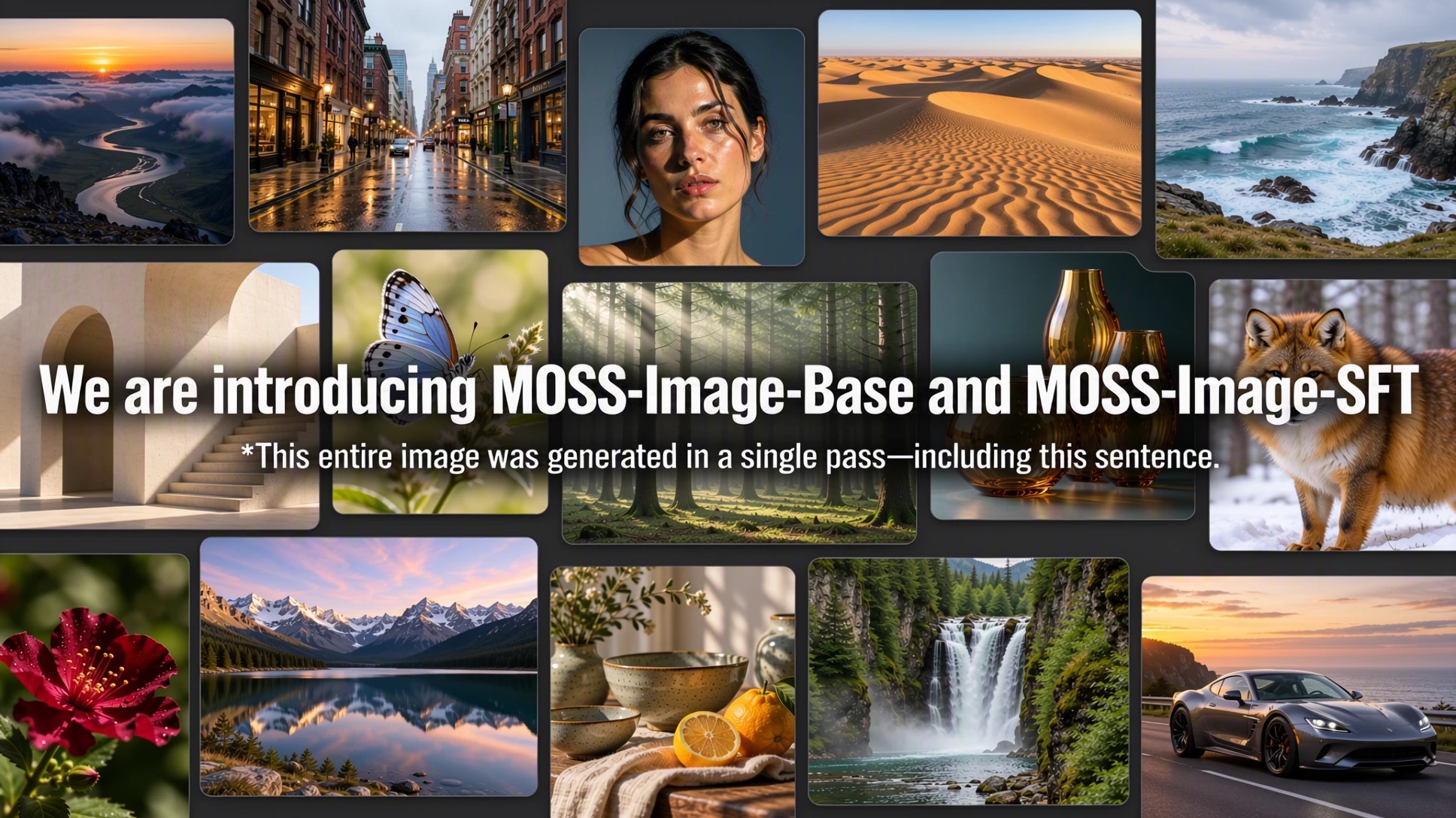
Every image model can paint a scene. Almost none let you place what’s in it. MOSS-Image, dropped open-weights on October 16 by the OpenMOSS team at Fudan University, takes a JSON layout as its prompt — labels, captions, and bounding boxes — so you say exactly where each character, object, and line of text lands. For comic panels, posters, and UI mockups, that’s the part that was always missing.
The Story
MOSS-Image is a 5-billion-parameter diffusion transformer. The official README calls it “a 5B-parameter base DiT model” with “strong text rendering.” It ships in two checkpoints: a Base pre-training model meant as a starting point for LoRA fine-tuning, and an SFT model most people should actually run. Both weights live on Hugging Face and ModelScope, and a live demo Space is up.
The headline feature is native layout control. Instead of one long sentence, you can feed the model a structured JSON document: a summary describing the whole scene, style and canvas, then an items array. Each item carries a label (text, character, or object), a caption, and a bbox. Text items also include the exact string to render. Boxes use yxyx order in pixel coordinates centered on the canvas, so the middle of the image is coordinate zero.
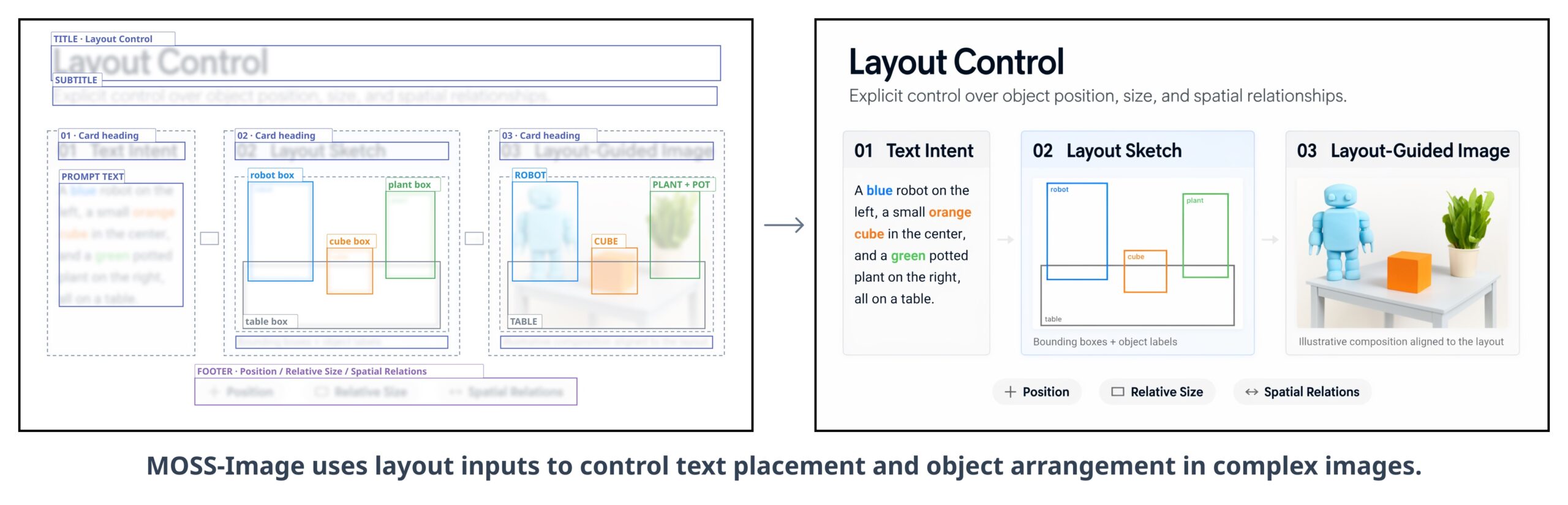
Because the layout is data, you edit a composition the way you edit a config file. Change one caption, move one box, swap one line of text — the rest of the scene stays put. The README is explicit that layouts can be edited “by changing text, descriptions, and boxes.” Anyone who has fought a text-to-image model to keep a character in the same spot across two renders will feel why this matters.
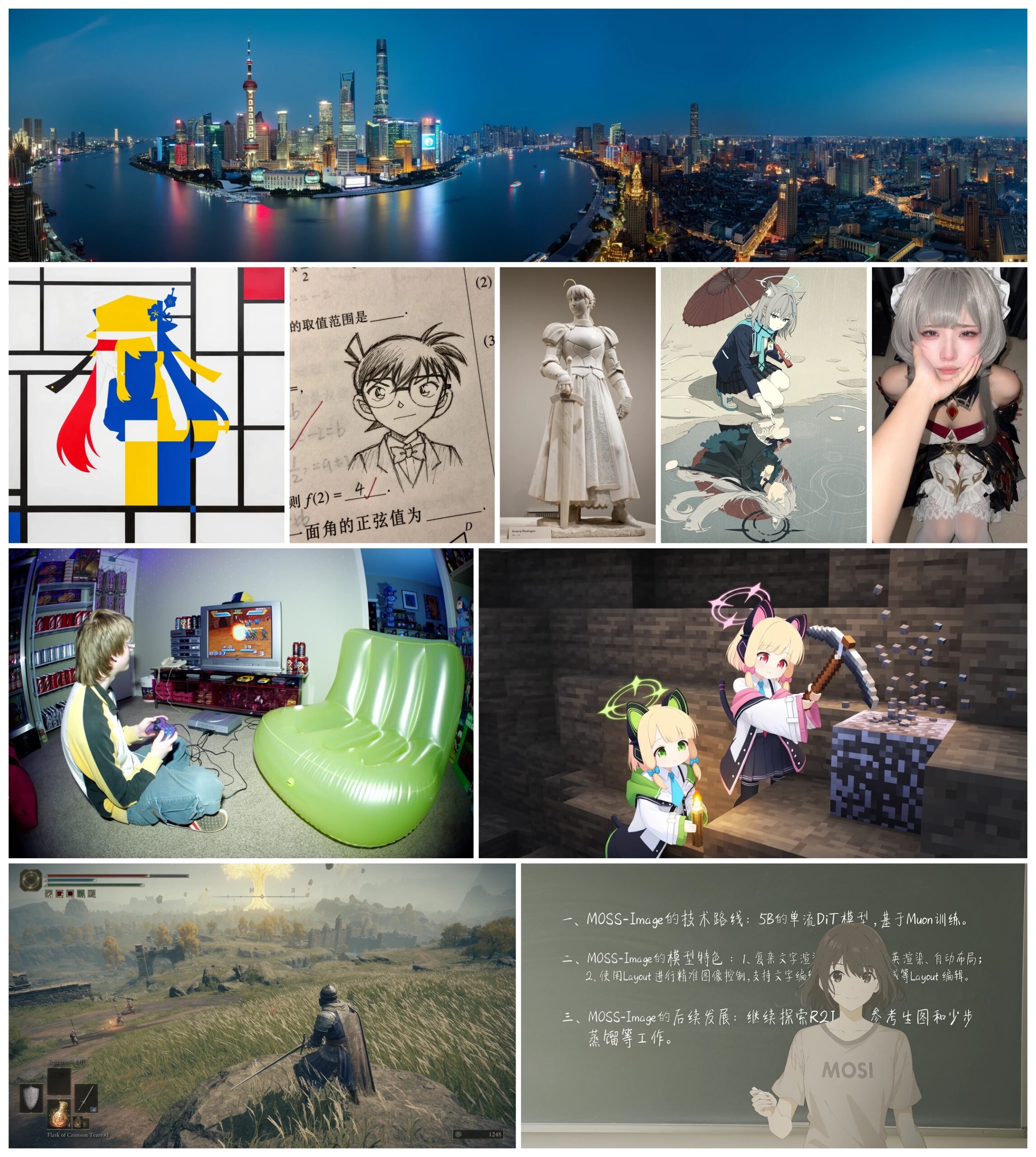
The second trick is text. The model renders legible characters inside the image and even adds line breaks when your prompt doesn’t. The README’s own example is a handwritten Chinese note; the ComfyUI integration notes report clean English and Chinese rendering. One honest caveat: the user guide labels the layout feature experimental, and the repo ships no quantitative benchmarks — the only comparison shown is a qualitative Base-vs-SFT whiteboard example where SFT produces “clearer text grouping and a more organized whiteboard layout.”
Why You Should Care
Layout-plus-text is the exact gap between “pretty AI picture” and “usable asset.” Think about what you actually make:
- Comics and BD: place a speech bubble, a caption box, and a character in fixed spots, panel after panel.
- Posters and key art: get a readable title where you want it, not a melted approximation of letters.
- UI and app mockups: lay out labeled buttons and headers as a structured brief.
- 3D and texture work: generate reference art or a clean sign/label plate you can project onto a mesh.
And it’s open. The README states: “The standalone pipeline code is provided under the Apache License 2.0,” and the repository is listed as Apache-2.0. Open weights you can fine-tune with LoRA, plus a structured layout format, is a workflow you can build on — not a locked API with a meter running.
Try It / Follow Them
Core ComfyUI support merged the same day the model dropped, in Comfy-Org/ComfyUI PR #17095. It is not in the latest release tag yet, so update your install to pull it. Comfy-Org also published repacked single-file weights for the core loaders — roughly a 10.2 GB bf16 DiT (5.4 GB in int8), a 7–10 GB Qwen3.5 text encoder, and a 340 MB FLUX.2 VAE — plus a MOSS-Image Layout Prompt node that turns bounding boxes into the layout JSON.
Recommended settings from the repo: flow-matching Euler sampler, 50+ steps, CFG 3 (range 3–6), shift 5, negative-branch layer skipping at layer 22, and 1–2 megapixel resolutions in multiples of 16.
- Code and docs: github.com/OpenMOSS/MOSS-Image
- User guide: USERGUIDE.md
- Weights: MOSS-Image-SFT and MOSS-Image-Base
- Live demo: Hugging Face Space
IK3D Lab Take
We did not run MOSS-Image on our own GPU for this write-up — everything here is read off the official repo, user guide and ComfyUI integration, not a bench test. So treat the quality claims as the team’s, not ours.
That said, this is the right idea. The frontier in creative image AI stopped being “sharper pixels” a while ago; it’s control. A JSON layout is a brief a human can read, version, and diff — and an agent can author. That makes MOSS-Image interesting less as a render engine and more as a target an automated pipeline can drive: generate the layout, generate the image, adjust one box, re-run. If you make comics, posters, or anything where text and position are non-negotiable, this is worth a weekend. Where it’ll break, honestly: the layout feature is flagged experimental, there are zero published benchmarks, and a 5B model in FLUX.2 latent space with a 9B text encoder is not a laptop toy — budget real VRAM. We’d pit it head-to-head against Ideogram and Qwen-Image on the one job that matters here: put ten exact words in five exact places, ten times in a row, and count the misses.
How this article was made: researched and drafted with AI assistance, then fact-checked against the original sources and reviewed by Issa before publication.