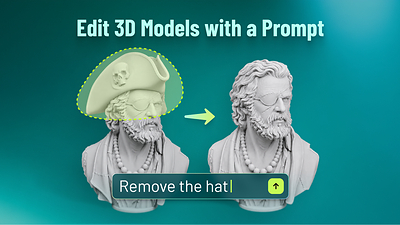
Until now, fixing one wrong detail on an AI-generated 3D model meant regenerating the whole thing — and watching every part you liked get scrambled too. On October 16, 2026, Meshy shipped a fix for exactly that: Meshy Edit, a new in-house model that changes only the part you select, from a plain-language prompt, in about a minute.
The Story
Text-to-3D and image-to-3D got fast and pretty over the last two years. But they stayed stubbornly all-or-nothing. You generate a character, the body is perfect, the hat is wrong — and your only button is “regenerate,” which rerolls the whole model. The good parts change along with the bad one.
Meshy Edit attacks that directly. You open a finished model in the viewer, pick an area, and type what you want. According to Meshy’s announcement, you select with a Lasso tool (circle a whole part) or a Brush tool (paint to refine the edge). Then you describe the change in plain words — Meshy’s own example is “remove the hat” — and you can add up to five reference images to steer the result. With no selection, the edit applies to the whole model.
Each edit produces a new model in about a minute and keeps the original untouched. You can re-edit the result, download it, or send it straight to slicer software for 3D printing. The company says it runs on a new model it built in-house; the release does not give that model a public name, and publishes no accuracy benchmarks.
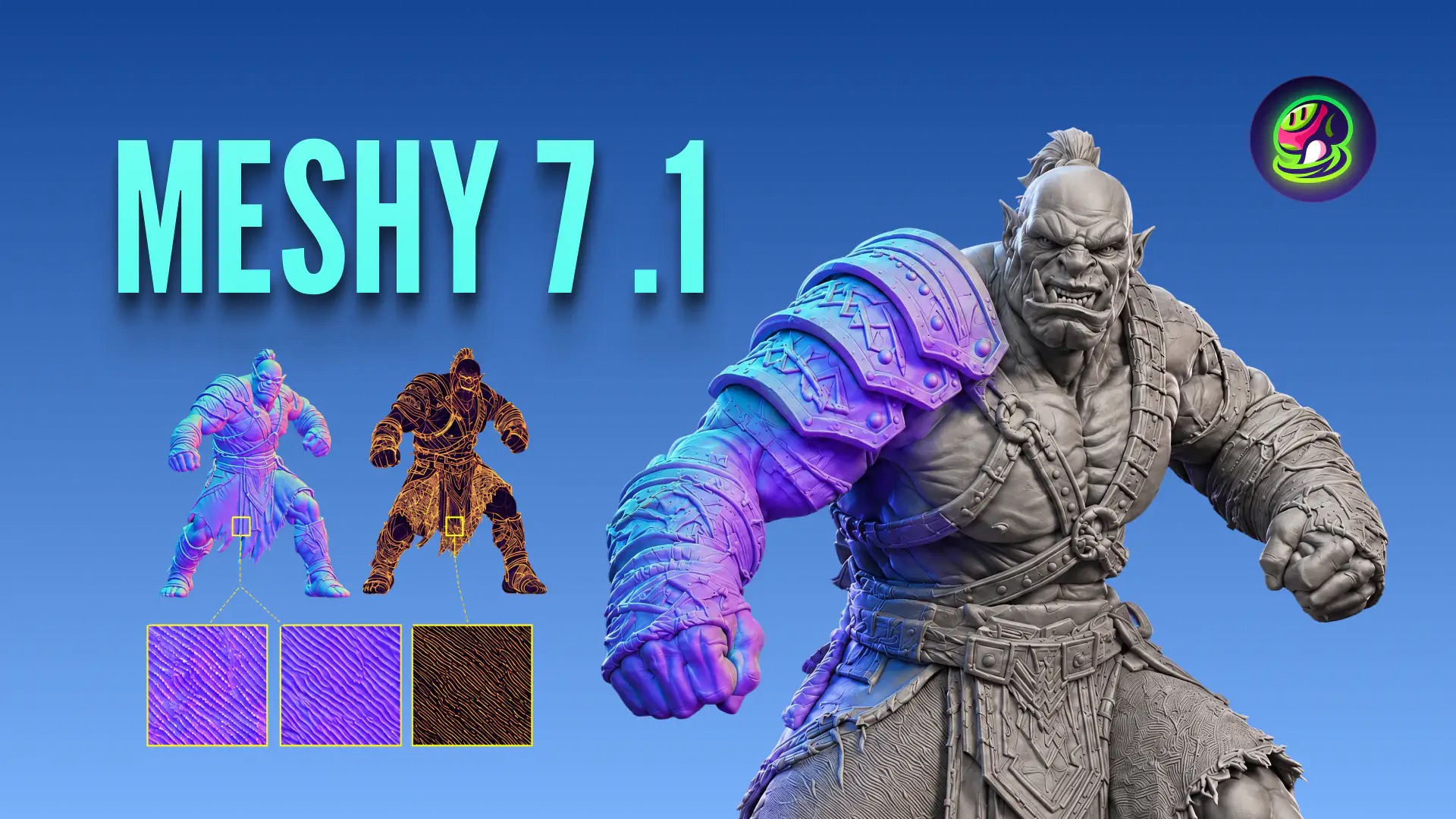
The limits are worth reading before you get excited. Meshy Edit works on high-poly models from Meshy 6 and Meshy 7.1, including Ultra 2K. Textured models are automatically switched to their untextured version first. Ultra 4K, low-poly, and uploaded models are not supported yet. Each edit costs 20 credits, and it is live now for all registered users.
Why You Should Care
This is the missing verb in the AI-3D workflow. Generation was solved; iteration was not. Every artist who has used a text-to-3D tool knows the loop: generate, almost-love-it, reroll, lose the thing you loved. Localized prompt editing breaks that loop.
It also lowers the skill wall. Meshy’s pitch is blunt: a single detail fix that can take hours by hand in Blender takes minutes here, without solid-modeling skills. That is honest about the trade — this is for people who cannot or do not want to box-model a replacement part, not a replacement for a technical artist’s control.
And it points at where AI 3D is heading: from one-shot generators toward editable, stateful assets you shape in conversation. Meshy pairs this with its 3D Agent, its texture work, and print-ready output — a sign the company is building a full iterate-and-ship pipeline, not just a prettier generate button.

Try It
- Generate or open a high-poly model from Meshy 6 or 7.1 in the viewer.
- Use Lasso or Brush to select the part you want to change.
- Type the change (“make this a wizard hat”), optionally drop in up to 5 reference images, and run it (20 credits).
- Keep the original; iterate on the new version; export or send to your slicer.
Start at meshy.ai and read the official announcement here.
IK3D Lab Take
We did not get hands-on with Meshy Edit for this piece — everything above comes from Meshy’s own announcement, so treat the “one minute” speed and the quality of the blend as claims to verify, not measured results. What we can judge is the direction, and it is the right one. Selective, prompt-driven editing is the feature AI-3D has been missing, and shipping it as a dedicated in-house model (rather than a hack on top of regeneration) is the serious way to do it.
Who should use it: indie game devs and makers who generate assets in Meshy and want to tweak one element without a Blender detour. Who should wait: anyone needing Ultra 4K, low-poly, or edits on their own uploaded meshes — those are not supported yet, and that last gap is the big one. Until you can point Meshy Edit at a model you made elsewhere, it is a polish tool inside the Meshy garden, not a universal 3D editor. The real test, which we will run when access allows: does the edited seam actually hold up where the new part meets the old geometry? That join is where every localized-edit tool lives or dies.
How this article was made: researched and drafted with AI assistance, then fact-checked against the original sources and reviewed by Issa before publication.