For two years, working with Gaussian splats inside ComfyUI meant the same ritual: a custom node pack, a fragile Python environment, a CUDA wheel that hated your driver, and a viewer in a separate tab. That ritual is over. As of v0.23.0, ComfyUI ships a native GAUSSIAN data type — splats are now a first-class citizen in the graph, no external dependencies required.
The Story
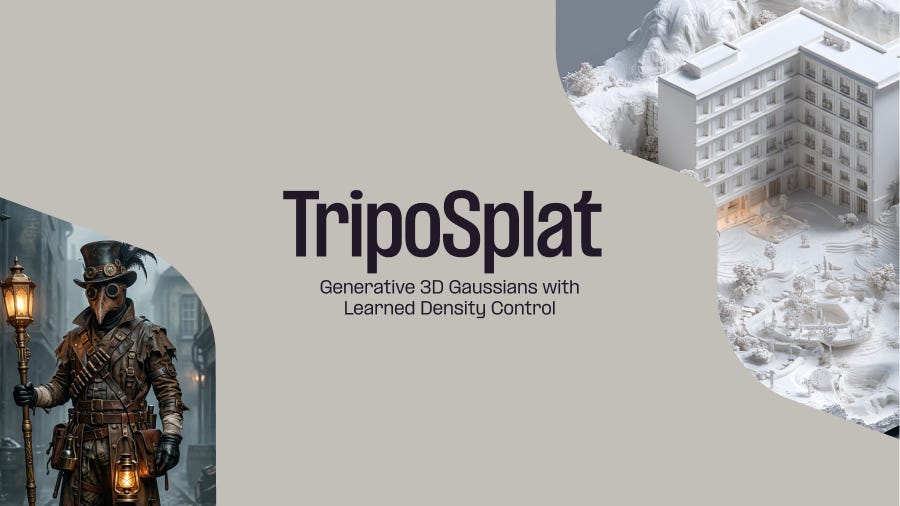
We covered TripoSplat two days ago — the Tripo/VAST team’s open model that generates a Gaussian splat from a single image instead of capturing one. The companion half of that story is just as important, and it landed at the same time: ComfyUI bolted splats straight into its core.
The new GAUSSIAN type is exactly what it sounds like — a batch of render-ready splats carrying positions, scales, rotations, opacities, and spherical-harmonic coefficients, with variable-length batch support so you can shuttle whole scenes between nodes. Around it, contributor kijai (the prolific ComfyUI node author behind half the workflows you’ve ever downloaded) wired a full first-party toolkit in PR #14190:
- 3D File to Gaussian Splat — parse
.ply,.splat,.ksplat, and.spzwith format auto-detection. - Gaussian Splat to 3D File — serialize back out to
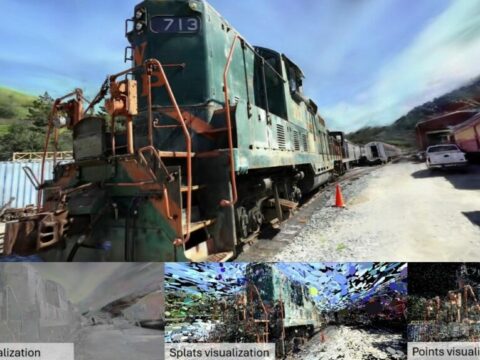
.ply(full SH),.ksplat, or the compact.spzviewer format. - Render Gaussian Splat — a perspective-correct, anisotropic EWA rasterizer with color, clay, depth, and normal styles, turntable orbit, and full
camera_infosupport. - Gaussian to Mesh — extract a vertex-colored mesh straight from the splat field.
- Transform / Info / Merge Gaussian — the unglamorous-but-essential plumbing for moving, inspecting, and combining splats.
And because none of this leans on an external CUDA pipeline, it works the same on the laptop you travel with and the 4090 in your tower. The render node is a real rasterizer living inside the graph — not a screenshot of a viewer — so a splat can be a stage in your workflow, not a dead-end export.
Why You Should Care

Here’s the quiet revolution: the splat stops being a destination and becomes a data type you can compute on. Pair the native nodes with TripoSplat — which encodes a single image with DINOv3 + the Flux.2 VAE, then runs a flow-matching denoiser into an octree Gaussian decoder — and the entire pipeline lives in one graph:
- Generate (or drop in) a concept image with your favourite model.
- Feed it to TripoSplat → out comes a
GAUSSIAN. - Render it from any angle for 2D guidance, ControlNet passes, or turntable previews.
- Mesh it for a game engine, or export
.spzfor a web viewer — without ever leaving ComfyUI.
That loop — image → 3D → render back to 2D → condition the next generation — is the holy grail the Mickmumpitz/ComfyUI crowd has been hand-stitching for a year. Now it’s first-party. No more “install this node pack, downgrade that wheel, pray.” Splats just became infrastructure inside the most-used open creative AI engine on the planet.
Try It
- Update to ComfyUI v0.23.0 or later (the splat nodes ship in core — nothing to install).
- Open the TripoSplat image-to-Gaussian-splat template from the Template Library: docs.comfy.org/tutorials/3d/triposplat.
- Grab the model weights (MIT-licensed) from VAST-AI/TripoSplat on Hugging Face and the inference code on GitHub.
- Read the official write-up on the Comfy Org blog and the full v0.23.0 changelog.
IK3D Lab Take
We’ve written a lot about splats becoming infrastructure — in OpenUSD, in glTF, in Photoshop, in Apple Maps. This one hits different because ComfyUI is where creators actually live. A native GAUSSIAN type means the next wave of clever workflows won’t be gated behind a dependency nightmare; they’ll be drag-and-drop. The mesh-extraction node is still a coarse, unlit affair and the renderer won’t replace a dedicated viewer for final beauty shots — but that’s missing the point. The point is that a splat is now just another tensor in the graph, and ComfyUI’s community turns “just another node” into magic faster than anyone. Update, open the template, and go make something.